

If your TikTok Events API purchase count doesn’t match your real transaction numbers, the root cause is rarely a TikTok reporting bug. Most mismatches trace back to missing or malformed identity parameters, duplicate event logic, or unreliable test methods. Many teams assume matching event names or sending the right currency is enough—it’s not. TikTok’s attribution and deduplication depend on precise identity data and event handling, and errors here go undetected until revenue numbers don’t add up.
By the end, you’ll know how to pinpoint where mismatches start, what to check in your payloads and event logic, and how to run a test that isolates the problem. You’ll see how US privacy law impacts TikTok tracking and what changes if your store is subject to CCPA or similar rules. This is about fixing the specific technical issues blocking accurate purchase reporting.
How TikTok Events API Handles Purchase Events
TikTok’s Events API requires purchase events to include a defined set of parameters. At minimum, you must send event (set to Purchase), value (purchase amount), currency (ISO 4217 code, e.g., USD), and identity fields. TikTok documentation updates regularly; always confirm the current parameter list in the official Events API reference before making changes.
Identity resolution is central to attribution. TikTok expects at least one hashed user identifier in the payload. The most commonly used are email, phone_number, and external_id. Hash using SHA256 before transmission. TikTok may ignore events missing these fields or fail to attribute them correctly. If you see unmatched purchases in TikTok Ads Manager, check the event payload for missing or incorrectly hashed identity values. The Events Manager “Event Details” view shows which identity fields were received for each event; use this to verify what TikTok ingested.
Deduplication relies on event_id and timestamp. TikTok uses these to group events and prevent double counting. If your integration generates a new event_id or modifies the timestamp for the same purchase during retries or multi-channel sending, TikTok may treat each as a unique event. This frequently causes mismatches between your backend and TiAlways ensure your event_id is stable and unique per transaction, not per API call.n, not per API call.
Because TikTok’s API requirements and accepted field names change without notice, do not rely on cached documentation or third-party guides. Always reference the official Events API docs and test recent payloads in Events Manager to confirm TikTok is receiving and processing the expected data.

Identity Parameters: The Core of Attribution Accuracy
TikTok attributes server-side purchase events by matching identity parameters in your Events API requests to user data from ad clicks and views. The quality and consistency of these parameters—email, phone, and external_id—directly control your match rate. If these fields are missing, incorrectly hashed, or unstable, TikTok cannot reliably tie purchases to ad interactions, and you will see discrepancies between actual and reported conversions.
TikTok requires SHA256-hashed values for personal identifiers. If you send unhashed data or mix hash formats, the platform discards the fields, lowering your attribution rates without an error message. Always hash emails and phone numbers to lowercase, stripped of whitespace and formatting, before applying SHA256. For example, hash user@example.com as sha256('user@example.com')—not sha256(' User@Example.Com ') or an MD5 hash.
If you use external_id, it must be a stable, unique identifier for the same user across both client-side and server-side events. Do not use session IDs, random tokens, or values that change between page loads. A user database ID or a hashed account ID works if it is truly persistent. Inconsistent external_id values between client and server events cause TikTok to treat the events as unrelated, breaking attribution.
To verify your implementation, inspect the payloads sent to TikTok in your server logs or network monitoring tools. Confirm the presence, format, and SHA256 hash of each identity field. Use the TikTok Events Manager UI to cross-check whether incoming events contain the expected identity data. If a field is missing or malformed, TikTok will not match the event, and you will observe purchase mismatches.
Event Deduplication and Timing: Common Causes of Mismatches
TikTok deduplicates purchase events using a combination of event_id and timestamp. If the same purchase fires from both the browser pixel and the Events API, TikTok expects both calls to carry the identical event_id—usually a UUID generated at the point of purchase confirmation. If these IDs differ, TikTok treats them as separate events, resulting in double-counting. If the IDs match but timestamps drift by too much, deduplication may fail or TikTok may reject one event as invalid.
To avoid mismatches, generate the event_id on the client or server at purchase creation, then pass it through both the pixel and the Events API payload. Do not generate a new ID per channel. For example, in a Shopify or custom checkout, create the event_id at the point when the order is finalized. Pass this value to both the browser (for the pixel event) and the backend (for the Events API call).
Timezone handling is another common source of error. TikTok expects timestamps in seconds since epoch (UTC). If you send a local time or use milliseconds, TikTok may misattribute or reject the event. Always convert the timestamp to UTC seconds before sending:
timestamp = Math.floor(Date.now() / 1000); // JavaScript, sends UTC seconds
Monitor your event logs for accidental resends or retries. If you see duplicate event_id values with new timestamps, TikTok may ignore the repeat or count it as a new event, depending on platform-side deduplication timing. Audit your API call logs and pixel events to ensure each event_id appears only once per purchase.
Testing and Verifying TikTok Events API Purchases
TikTok’s Test Event tool in Events Manager confirms whether your Events API payloads reach TikTok’s systems in real time. This tool validates delivery, not final attribution. A successful test event means TikTok received the call, but it does not guarantee the event will count toward conversions or appear as attributed in ad reporting. Always verify attribution in the Conversions section after test traffic, not just in the Test Events tab.
To generate test events, you must include the test_event_code parameter in your Events API payload. This value comes from the Test Events tab in Events Manager. Copy it directly from the UI each session, as TikTok may rotate codes. Example payload fragment:
{
  "event": "Purchase",
  "timestamp": 1718025600,
  "test_event_code": "TEST12345"
}
Sending test events without the correct test_event_code means they will not appear in the Test Events tool, and you cannot trace them through TikTok’s UI. Confirm the code is present and accurate before each test.
Test purchases do not always behave like production events. TikTok’s documentation and UI change frequently; test mode may bypass certain attribution logic or deduplication steps. For final validation, send live purchases through your standard integration, monitor matched events in Events Manager, and compare to your backend order system. If TikTok shows a delivered but unmatched event, check for missing identity parameters or misaligned timestamps.
Monitor both the “Sent Events” and “Matched Events” columns in Events Manager. Discrepancies here often signal mapping issues, identity parameter gaps, or deduplication failures. Use these views to isolate whether the problem is with event delivery, payload structure, or TikTok’s attribution logic.
Troubleshooting Unmatched Purchases: A Step-by-Step Checklist
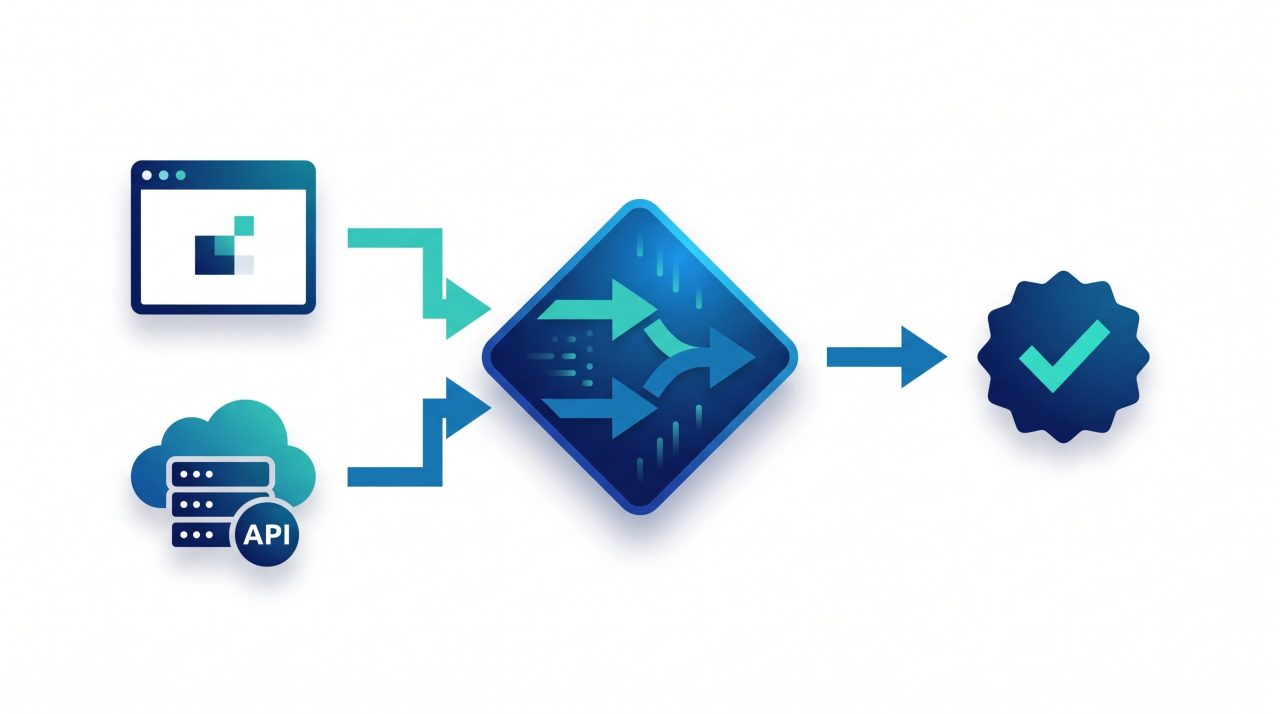
Start by inspecting the raw API payloads sent to TikTok. Every purchase event must include event, event_id, timestamp, event_type (set to Purchase), properties with value and currency, and at least one identity parameter. TikTok commonly requires ttclid, email, phone_number, or external_id, depending on your setup. Check the current API documentation for required and recommended fields, as these may change.
Identity fields must be hashed with SHA256, using lowercase hexadecimal output and no leading/trailing whitespace. Hashing errors or inconsistent casing between event sources cause attribution gaps. Verify that the hashing logic matches TikTok’s requirements. Compare the hashed values sent from both your client and server sources for the same user action. If these differ, TikTok cannot match the events.
event_id must be unique per purchase and consistent between web (client) and Events API (server) versions of the same event. Timestamps should be in ISO 8601 format and within reasonable proximity (a few seconds) of each other. If the event_id or timestamp does not align, deduplication and attribution may fail. TikTok may reject events with future or significantly delayed timestamps.
In TikTok Events Manager, use the Event Logs tab to review ingested events. Filter by event_id or timestamp to locate missing or rejected purchases. Rejected events typically show error codes or messages—cross-check these against TikTok’s published error explanations.
Test both real and test events. TikTok’s Events Manager supports test mode (toggle in the UI) to isolate configuration issues without polluting live reporting. If test events succeed but real events do not, review consent handling, payload differences, and production API keys.
Privacy, Consent, and US State Law: What You Must Consider
CCPA/CPRA and similar state laws restrict how you collect, use, and share personal information. For TikTok Events API, this means you cannot send certain identity fields—such as email, phone_number, or other persistent identifiers—when a user opts out of sale or sharing. This includes the “Do Not Sell or Share My Personal Information” requirement, which applies to California residents and is mirrored in other states with comparable statutes.
Suppress all identity fields and purchase events for users who opt out. If a user triggers a purchase but has opted out, your server must not include their hashed identity values in the TikTok payload. You should also avoid sending the purchase event entirely if your legal team advises that event-level data can constitute personal information under state law. This suppression cannot be limited to the browser pixel; it applies equally to Events API calls.
Your consent logic must be centralized and documented. If you use a Consent Management Platform (CMP), verify that both your pixel and server-side API calls respect the same consent state. For example, check that your backend event dispatch only fires when consent_status = "granted". Audit your implementation by triggering opt-outs and confirming—using TikTok’s Events Manager and your server logs—that no identity fields or purchase events are sent for opted-out users. Test this regularly, especially after changes to your consent banner or tracking code.
TikTok’s documentation and requirements on privacy compliance change frequently. Monitor their official Events API documentation and review relevant state law updates at least quarterly. Reassess your data flows and suppression logic whenever either source changes.
Frequently asked questions
Why do TikTok Events API purchases show in the Test Event tool but not in reports?
Test Event tool confirms delivery, not attribution; reporting may lag or filter out events due to identity or deduplication issues. Always check both tools.
What identity fields are most reliable for TikTok Events API matching?
Hashed email and phone are most reliable if consistently collected and hashed; external_id is useful if stable across systems.
How do I debug rejected or ignored purchase events in TikTok Events Manager?
Review event payloads for required fields, check error messages in the Events Manager UI, and cross-check event_id, timestamp, and identity consistency.
Not sure your tracking is telling you the truth?
Propulse Agency audits e-commerce tracking setups — server-side tagging, Meta CAPI, GA4 and consent — and fixes what is quietly costing you conversions.
Prioritize Identity Integrity Before Scaling Implementation
Start by confirming that your TikTok Events API payloads always include the strongest identity signals you can lawfully collect. Focus on external_id and hashed email or phone fields. Inconsistent or missing identity parameters drive most attribution mismatches, especially when users bounce between devices or clear cookies.
Before automating or scaling your integration, run end-to-end tests with real purchase flows in a staging environment. Use TikTok’s Events Manager for event inspection, but cross-check against your own backend logs. If you see mismatches, check for duplicate event IDs, timestamp drift, or missing consent flags. Most persistent issues trace back to a missed detail in the identity payload or deduplication logic.
Reviewed and updated by Propulse Agency on Aug 8, 2026.
